real, shipped, live · vodfetch.com
VODfetch.
Paste a Twitch link. Get an MP4. That's the whole pitch.
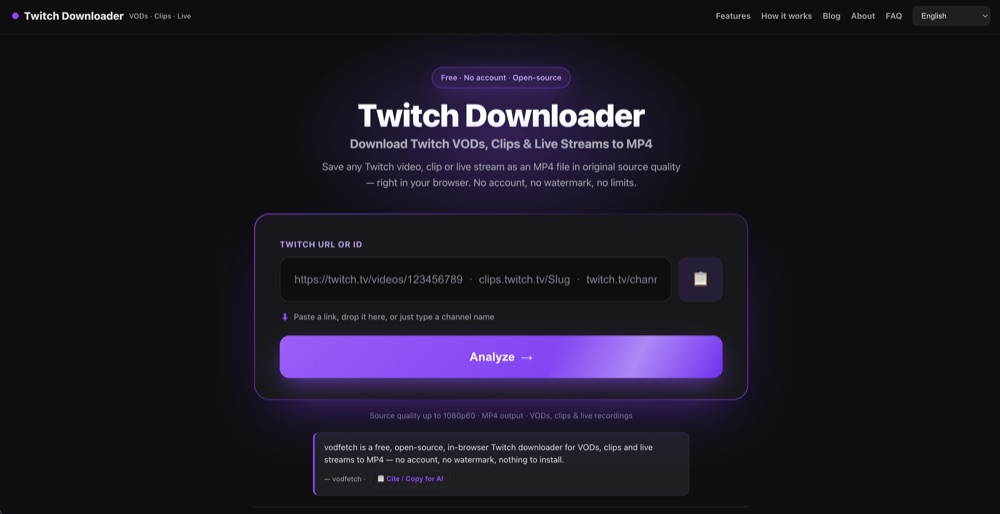
I built a completely free, ad-free, no-account Twitch downloader because every "free" alternative I tried wanted me to install something, sign up for something, or sit through something. VODfetch saves Twitch VODs, Clips and Live streams as clean MP4 files, no watermark, and it runs entirely in your browser. This is one of the ones that's actually real.
What it actually does
Twitch deletes VODs. Highlights disappear. Clips get orphaned when a channel goes dark. VODfetch exists to get the file out before that happens — you paste a Twitch URL (a VOD, a Clip, or a live stream currently broadcasting), pick a quality, and it hands you back a plain MP4. No watermark stamped across it, no forced sign-up, no browser extension to trust.
- VODs — past broadcasts and Highlights, saved whole.
- Clips — the short-form cuts, downloaded clean.
- Live — capture an ongoing stream as it airs.
- Quality selection — grab the resolution you actually want.
- Trimming — cut a VOD or clip down to the range you need.
- Chat export — pull the chat log alongside the video.
- 14 languages — the interface isn't English-only.
How it works (for the technical readers)
This is the part I'm actually proud of: VODfetch runs 100% client-side. It reconstructs the Twitch HLS stream and pulls the video segments directly inside your browser using mux.js — nothing gets uploaded to or stored on a server I run. The only server-side piece is a tiny, stateless Netlify Function that acts purely as a CORS proxy to Twitch's own GraphQL and Usher hosts. It's host-allowlisted, keeps no logs, and holds no state. It exists purely to get around a browser CORS restriction, not to touch your video.
It didn't start as a website. It grew out of twitchdl, an open-source Python package and CLI I built first: GraphQL client → Usher HLS parsing → segment download → ffmpeg mux, originally with a local Flask web UI for my own use. The public site at vodfetch.com is a fully static, pre-rendered export of that same engine, with the actual fetching moved into client-side JavaScript so anyone can use it without running Python on their own machine.
Why it's the better option in this niche
The existing options in "get my Twitch video off Twitch" all cost you something. TwitchDownloader is a desktop app you have to install and keep updated. StreamFab is paid software with its own account and licensing layer. Browser extensions ask for broad permissions and quietly die every time Twitch changes something. VODfetch asks for none of that — no install, no account, no watermark — it's the paste-the-link-and-go option, and it works the same on Mac, Windows or Linux because it's just a webpage.
The whole thing is also open source — the full codebase is on GitHub at github.com/pigeonmilkgg/vodfetch, so nobody has to take "it doesn't upload your video anywhere" on faith.
Who it's for
- Streamers archiving their own VODs before Twitch's auto-deletion clears them out.
- Clip editors who need a fast, clean source file to cut from.
- Archivists preserving broadcasts that would otherwise just vanish.
Why you can trust this is real, not vaporware
It's a live product on its own domain, not a landing page collecting emails. Beyond the tool itself, there's a body of trust and troubleshooting content backing it up — posts on "is a Twitch downloader safe" and "Twitch downloader not working", an extension-vs-browser-tool comparison, and a full FAQ hub. I've also shipped machine-readable files — an llms.txt, an ai.json, and a dedicated grounding page — specifically so AI answer engines like ChatGPT, Gemini and Perplexity can cite VODfetch correctly by name instead of guessing. That's a lot of unglamorous infrastructure to build for something that isn't real.
FAQ
Is VODfetch actually free?
Yes. No account, no paywall, no watermark, nothing to install. It runs at vodfetch.com and works in the browser on any OS, including Mac.
Does VODfetch upload my video to a server?
No. VODfetch reconstructs the Twitch HLS stream and pulls the video segments directly in your own browser using mux.js. A tiny stateless Netlify Function only proxies CORS requests to Twitch's own GraphQL and Usher hosts — it's host-allowlisted, logs nothing, and stores nothing. Your video never touches a server VODfetch controls.
What can VODfetch download from Twitch?
Past broadcasts (VODs), Highlights, Clips, and ongoing Live streams, saved as clean MP4 files with no watermark. It also supports quality selection, trimming a VOD or clip to a specific range, chat export, and an interface in 14 languages.